Published on November 05, 2026
Invoice Management System: What You Need to Know
Invoice management system basics, key features, and benefits that help us streamline billing, reduce errors, and get paid faster.
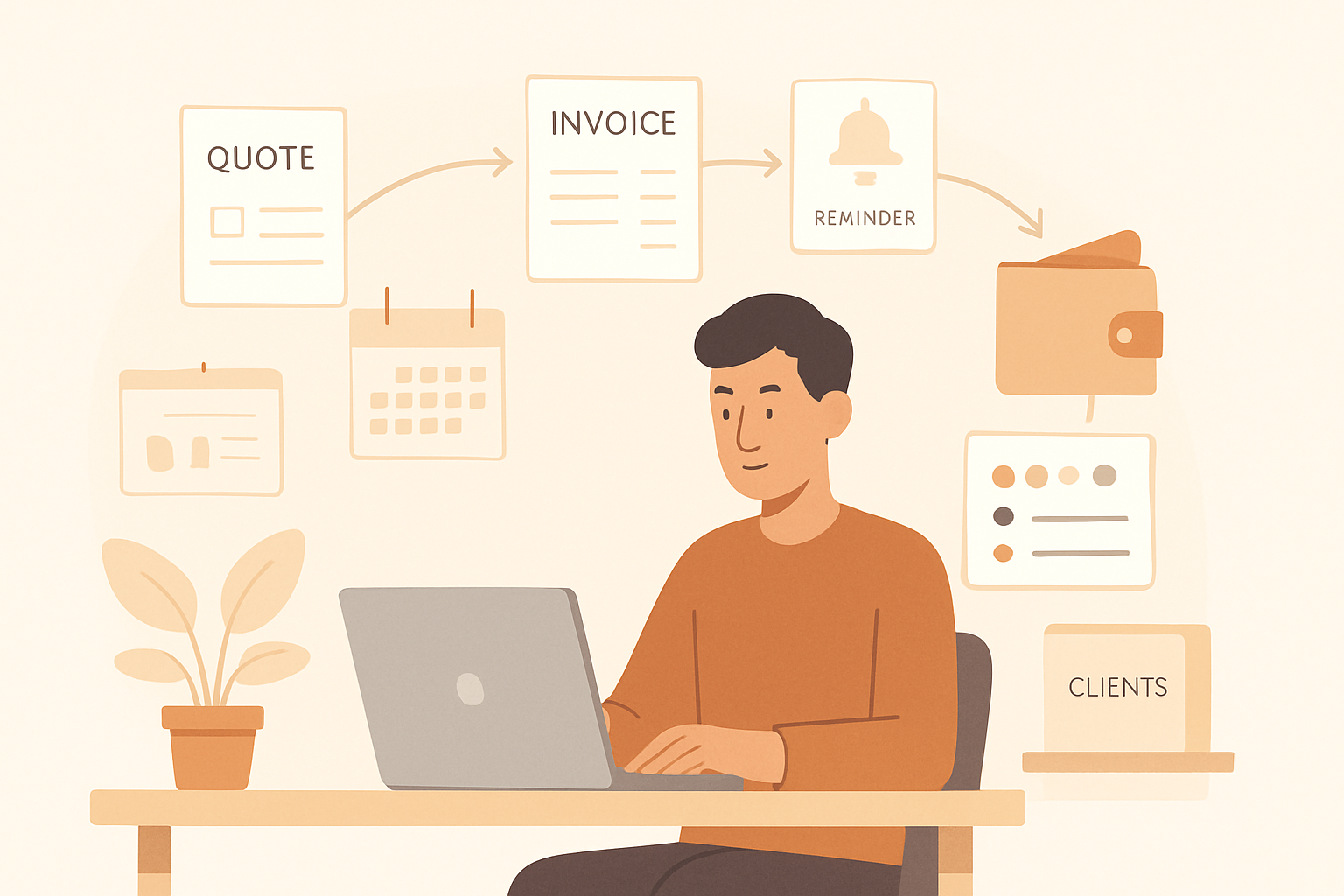
Invoice management system tools help us organize billing, track payment status, and reduce the manual work that slows down revenue collection. When invoices, client details, approvals, and reminders live in one place, we gain better visibility into cash flow and fewer errors in the billing process.
For many teams, invoice management is no longer just about sending a document and waiting for payment. We need a reliable way to create invoices faster, follow up consistently, and keep records accurate across the full billing cycle. In this article, we explain what an invoice management system does, why it matters, and which features help us work more efficiently.
Key Takeaways
- An invoice management system helps us create, send, track, and store invoices in one place.
- The right features reduce manual work, improve accuracy, and make payment follow-up easier.
- Better invoice visibility supports healthier cash flow by showing what is due, paid, or overdue.
- Choosing a system with automation, reporting, and client records helps us scale billing with less friction.
What an Invoice Management System Does and Why It Matters
An invoice management system helps us create, send, track, and organize invoices in one place instead of relying on spreadsheets, email threads, and manual follow-up. It gives us a clearer view of what we have billed, what is still outstanding, and which customers need a reminder. That visibility matters because it reduces missed payments, duplicate work, and errors that can slow down cash flow.
At a practical level, this type of system supports the full billing process. We can generate professional invoices faster, apply consistent payment terms, and keep customer details tied to each transaction. Many systems also help us monitor invoice status, so we know whether an invoice has been sent, viewed, paid, or overdue without digging through multiple tools.
For growing teams, the value goes beyond convenience. A structured invoicing process helps us stay organized as volume increases, which is especially important when we manage multiple clients, recurring billing, or project-based work. It also creates a more reliable record for accounting, reporting, and tax preparation.
In simple terms, an invoice management system matters because it turns invoicing from a manual task into a repeatable process. That means less time spent chasing paperwork and more time focused on serving customers and collecting revenue.
- Faster billing: create and send invoices without starting from scratch each time.
- Better tracking: see invoice status and payment progress in real time.
- Fewer mistakes: reduce errors in amounts, terms, and customer details.
- Improved cash flow: follow up on overdue invoices more consistently.
- Cleaner records: keep billing history organized for reporting and review.
When we use a system built for invoicing, we make the entire payment cycle easier to manage.
Key Features We Should Look for in an Invoice Management System
When we evaluate an invoice management system, we should focus on features that reduce manual work and improve cash flow, not just basic invoice creation. The right platform helps us move from sending bills to managing the full billing cycle with less effort and fewer errors.
One of the most important features is automation. We should look for tools that can generate recurring invoices, send payment reminders, and update invoice status automatically. This saves time and helps us follow up consistently without relying on manual tracking.
Customization also matters. We need the ability to add our logo, adjust invoice templates, and include payment terms that match our business. A flexible system makes our invoices look professional and helps us communicate clearly with clients.
We should also prioritize payment tracking. A strong invoice management system gives us real-time visibility into what is sent, viewed, overdue, and paid. That makes it easier to spot delays early and take action before receivables become a problem.
Another key feature is integration. The system should connect with accounting software, payment processors, and customer records so we can avoid duplicate data entry. When invoicing is tied to the rest of our workflow, we reduce mistakes and keep information consistent across teams.
We should not overlook client communication tools. Features like invoice notes, reminders, and status updates help us keep conversations organized in one place. This creates a smoother experience for clients and reduces back-and-forth emails.
Security and access control are equally important. We need a system that protects financial data, supports user permissions, and keeps sensitive billing information secure. For growing teams, this helps us manage access without losing control over the process.
Finally, we should choose a platform with clear reporting. Good reports show us outstanding balances, payment trends, and invoice performance so we can make better decisions. If we want a system that supports growth, we should look for one that centralizes invoicing, quotes, and collections in a single workflow.
How an Invoice Management System Improves Cash Flow and Reduces Errors
An invoice management system improves cash flow by helping us bill accurately, follow up consistently, and shorten the time between completed work and payment. When invoices are created from approved quotes, customer records, and service details in one place, we reduce delays caused by missing information or manual re-entry. That means we can send invoices faster, which gives clients less room to postpone payment and gives us better visibility into expected revenue.
Cash flow also improves when we have a clear process for reminders and collections. Instead of relying on memory or scattered spreadsheets, we can automate payment notices, track overdue balances, and prioritize accounts that need attention. This creates a more predictable collection cycle and helps us spot issues early, such as a client who consistently pays late or a recurring service that was never invoiced.
At the same time, an invoice management system reduces errors that can slow down payment or create disputes. Common mistakes like incorrect totals, duplicate invoices, missing purchase order numbers, and outdated billing details often happen when teams work across disconnected tools. A centralized system helps us standardize invoice data and apply the same rules every time, which lowers the risk of rework and customer confusion.
We also gain better control over approval and review steps. Before an invoice goes out, we can confirm that:
- the billed amount matches the agreed scope or contract
- taxes, discounts, and fees are applied correctly
- customer contact and billing details are current
- the invoice status is tracked from draft to paid
These checks matter because even small errors can delay payment by days or weeks. A client who receives a clean, accurate invoice is more likely to approve it quickly and pay on time. Over time, that consistency supports healthier cash flow and less time spent fixing avoidable mistakes.
For growing teams, the biggest advantage is control. We can see what has been billed, what is still pending, and what needs follow-up without digging through email threads or spreadsheets. That visibility makes it easier to manage working capital, forecast incoming revenue, and keep operations moving.
How to Choose the Right Invoice Management System for Our Team
When we choose an invoice management system, we should focus on how well it fits our workflow, not just on the number of features it offers. The right platform helps us create invoices faster, track payment status in one place, and reduce the manual follow-up that often slows down collections. If our team handles quotes, approvals, and billing together, we should look for a system that connects those steps instead of treating invoicing as a separate task.
We can start by identifying the problems we want to solve. If we spend too much time copying customer details, chasing overdue payments, or searching for invoice history, those are clear signs we need better automation and visibility. A strong system should let us reuse client information, generate invoices from approved quotes, and show us which bills are sent, viewed, paid, or overdue without extra effort.
It also helps to evaluate how the system supports collaboration. For teams with multiple people involved in billing, we need role-based access, approval controls, and shared records so everyone works from the same information. This reduces errors and prevents duplicate work. We should also check whether the platform supports recurring invoices, payment reminders, and status tracking, since these features can save time every month and improve cash flow.
Integration is another major factor. Our invoice management system should connect with the tools we already use for accounting, customer management, and payments. When data moves automatically between systems, we avoid manual entry and keep records more accurate. We should also consider reporting features, because clear dashboards and exportable reports help us understand revenue trends, outstanding balances, and collection performance.
Finally, we should choose a system that is easy for the team to adopt. A clean interface, simple setup, and responsive support matter just as much as advanced functionality. If the platform is difficult to use, our team may avoid it or use it inconsistently. The best choice is the one that helps us work faster, stay organized, and get paid with less manual effort.
Create a single invoice for free
Not ready for a full management system? The ZenInvoice free invoice generator lets you create a clean invoice in minutes. You get 20 templates, line items that add up taxes and totals for you, and a one-click PDF download. No sign-up, and your draft stays saved in your browser.
Frequently asked questions
In this FAQ we answer:
- How does an invoice management system support our billing workflow day to day?
- What should we expect from invoice tracking and payment reminders?
- Can an invoice management system help us scale without adding more admin work?
How does an invoice management system support our billing workflow day to day?
An invoice management system helps us create, send, track, and organize invoices in one place. It reduces manual follow-up, keeps billing records consistent, and gives us better visibility into what is due and what has been paid.
What should we expect from invoice tracking and payment reminders?
We should expect real-time invoice status updates, automated reminders, and a clear view of overdue balances. These features help us stay on top of collections without constant manual checking and make it easier to get paid on time.
Can an invoice management system help us scale without adding more admin work?
Yes. A strong invoice management system can handle more clients and invoices without creating extra busywork. By centralizing billing tasks and automating routine steps, we can grow efficiently and keep our team focused on higher-value work.